


FAQ
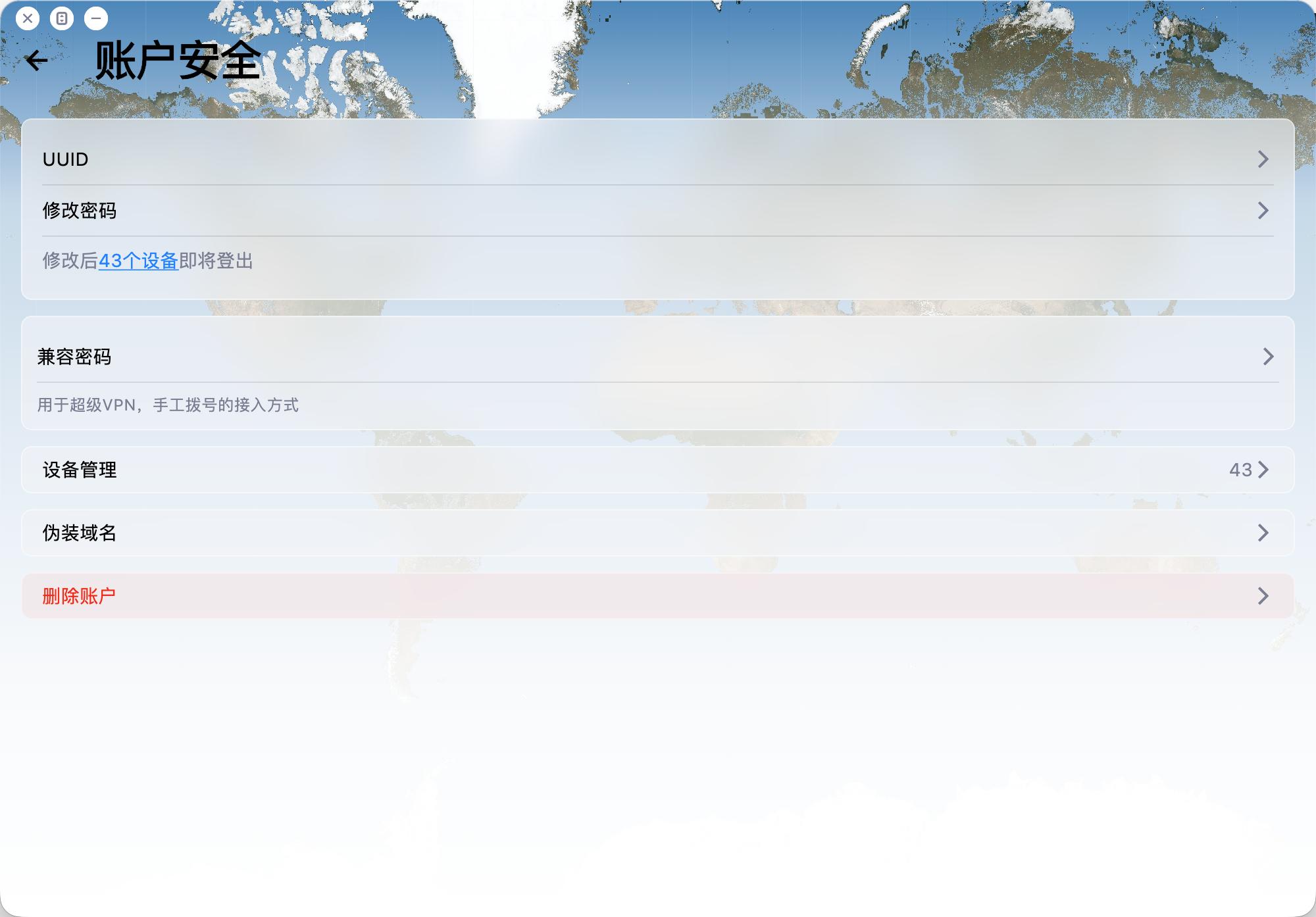
How do I delete my account? 
To delete your account:
Open the app and go to Account -> Security -> Delete Account.
Please note:
1. Account deletion is permanent and cannot be undone.
2. Email verification is required before deletion.
3. After deletion, related payment records, usage records, and other associated data will be removed.
4. The account will be deleted regardless of whether you are a VIP member.
How does the referral program and commission work?
Invite friends to 5UF VPN with your referral link or referral code. When they complete eligible purchases, you earn referral balance (commission). This FAQ summarizes the rules; exact percentages, exceptions, and system decisions follow in-site rules, announcements, and backend records.
1. Dedicated domains for high-volume referrers
If you have large referral volume or long-term promotion needs, you may ask human support for a dedicated referral domain (subject to review and technical setup).
2. Commission rate and crediting
For each successful paid order from a user you directly invited, the system credits roughly 10% of the order amount to your referral balance. Actual rate, taxes, currency handling, and whether refunded or disputed orders count are defined in site rules or announcements.
3. Long-term while the L1 relationship applies
As long as the user remains your level-1 invite in our system, their later eligible payments can continue to generate commission (per system records) until the relationship or policy changes.
4. Level 1 only
Only spending from users who registered through your link or code counts toward your commission.
Spending from sub-referrals (level 2 and below) does not count toward your balance, to avoid multi-level payout structures.
5. Attribution window (~7 days)
After someone clicks your referral link, we store attribution for about 7 days (e.g. via cookies). Purchases on the same site domain within that period are matched when possible. If cookies are cleared, or cross-domain/cross-device issues occur, attribution follows actual system logs.
6. Using balance and withdrawals
- Referral balance can be used to buy services on our site (see checkout for scope).
- When withdrawable amount reaches CNY 1,000 or more, you may request a payout via options such as crypto or bank transfer.
- Fees, KYC, and processing details are shown on the application page and support instructions.
For questions about referral linkage, balance, or payouts, open a ticket with your account and order references.
Free tier, daily traffic allowance, and how to keep it active
This FAQ summarizes our public announcement. For the full legal and operational wording, see:
5UF VPN – 15th Anniversary Special Announcement
1. Who may receive the daily free traffic benefit?
Eligible long-time accounts described in that post (for example users registered before the cut-off date stated there, such as 11 Dec 2025—confirm in the article and in your account) can receive a permanent daily free traffic allowance (stated as 128 MB per day in the announcement, subject to system display).
Paid users follow their plan while active; after expiry, if you fall under the free-tier rules in the announcement, you may receive the same daily allowance (verify in the panel).
New sign-ups outside the promotion scope keep the standard free/trial policy then in effect, to protect overall capacity.
2. How to activate or renew it?
- Log in on the official website or the latest official app; eligibility is applied automatically after a short delay—no form is usually required.
- To keep the benefit active, log in on the web or open the app at least once per week, as described in the announcement.
3. Why isn’t the same promotion open to every new user?
The announcement explains that unlimited free access can increase blocking and congestion; the benefit targets loyal users while balancing free and paid capacity.
4. Other notes
- Reset passwords via your registered email.
- Metering, reset times, and account type are shown in the control panel / app and in current announcements.
- Contact support through official tickets if anything looks wrong.
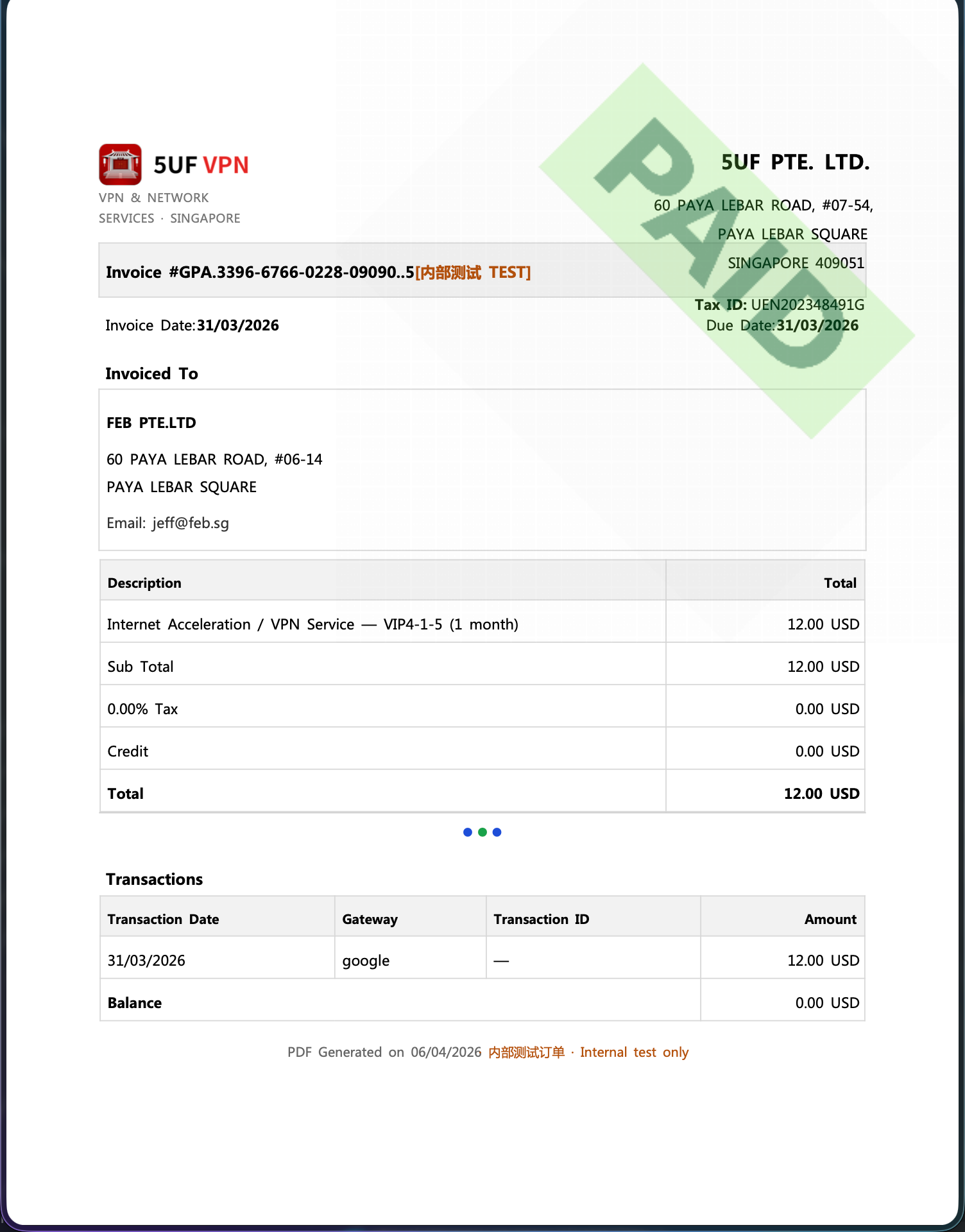
Can I get an invoice after subscribing or paying?
Yes. We provide a formal invoice for every successful payment, suitable for reimbursement and accounting records.
Our company is registered in Singapore and meets its tax obligations there. The invoices we issue follow formats recognised in Singapore (IRAS) for compliant tax documentation.
If you need a Mainland China VAT fapiao or other PRC tax invoice, we cannot provide that at this time.
How to download: sign in and open My Orders, then download the invoice for each payment from its order row.
Invoice fields: On the invoice download page you can enter or edit the bill-to name, company name, address, email, and other fields shown on the PDF. These are separate from your profile fields on the website—you can fill them in any way your accounting requires, update them, and re-download anytime.
Issue date: Each time you generate or download with the current values, the invoice/issue timestamp on the PDF will refresh for that action—refer to the file you just downloaded.
Clearing saved data: If you do not want to keep the entered billing details on the page, use the clear/reset option where available (see the order/invoice download page). Clearing does not change the payment record itself; it only affects whether those details are prefilled next time.
Why does the “unlimited data” plan still have a limit?
- Without limits, a few users may abuse the service (e.g. servers, heavy sharing), slowing others down.
- VPN servers cost bandwidth, which must be shared efficiently.
- Most “truly unlimited” VPNs silently limit users. We state it clearly.